Broker import · Saxo

Import your Saxo trades into a portfolio tracker

Export your transaction history from Saxo and upload the file to Pulsarium's free cabinet: every trade is checked with you before it is saved, and your broker login never leaves your hands.

Free during the public beta · No broker login needed · Two-factor sign-in
1. Export the file from Saxo

  1. Export the Transactions reportIn SaxoTraderGO or SaxoInvestor open your account's Transactions report, choose the period and export it to Excel.
  2. Save it as CSVOpen the file in Excel and save it as CSV. Danish and Dutch exports work too.

2. Import it into Pulsarium

  1. Upload the fileIn the cabinet open Account → Export / Import CSV → Import from a broker and choose the file. CSV and TSV work; save an Excel file as CSV first.
  2. Check the columnsPick the target portfolio. Pulsarium suggests the broker from the file name and pre-selects the date, operation, instrument, quantity, price and fee columns — check them and whether dates are day- or month-first. After a successful import the column choices for that file format are remembered on your device.
  3. Review every rowClick Review rows. Each trade is matched to a listing (the exchange is named, the most likely one is marked best match), already imported rows are skipped and possible duplicates are flagged. Nothing is saved until you confirm.
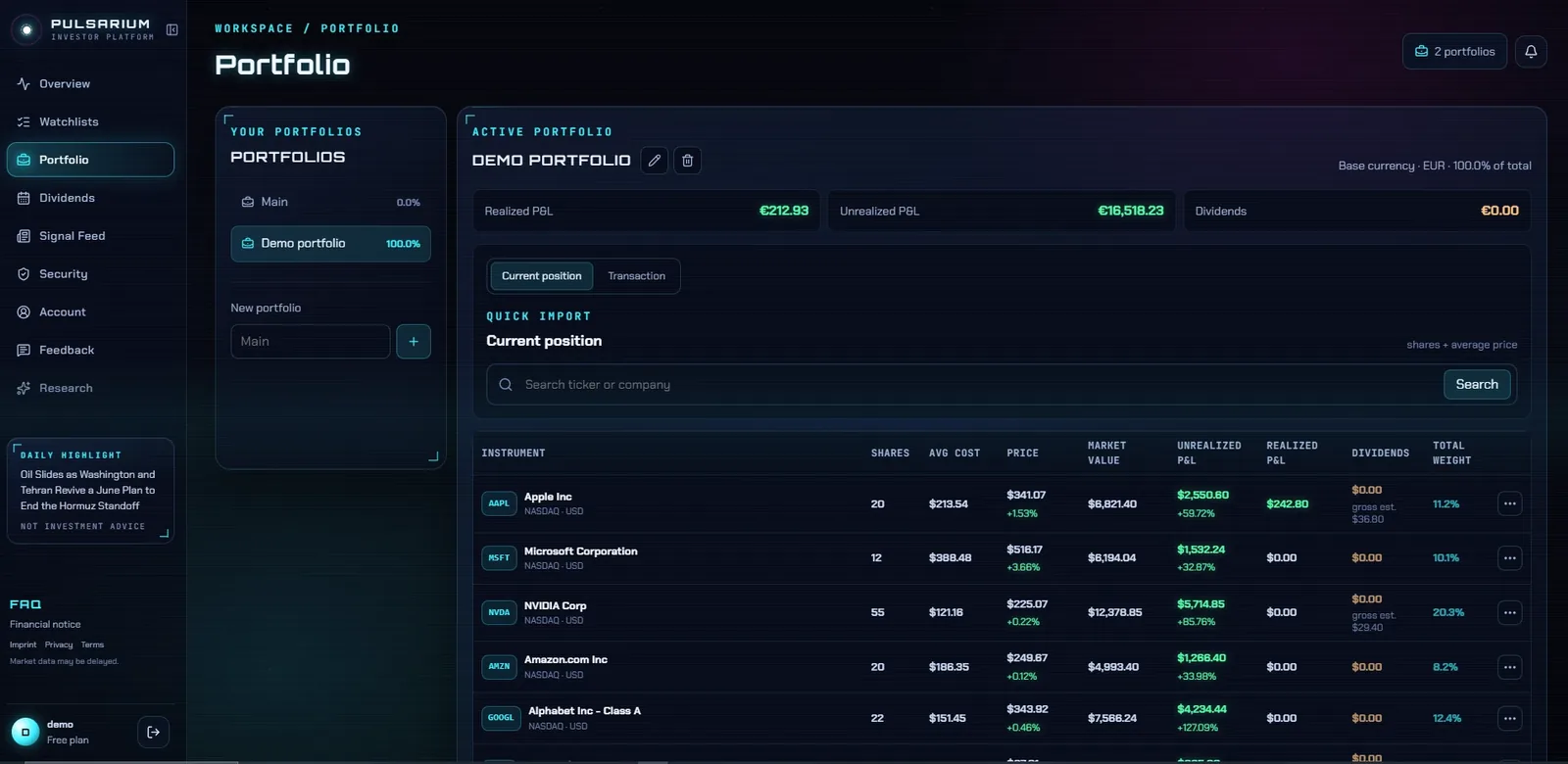
Imported trades shown as positions in the Pulsarium portfolio table
After the import: every position with its average cost, P&L, dividends and weight. Demo account with sample data.

What Pulsarium does with a Saxo file

Exchange from the symbol

Saxo writes each listing as “AAPL:xnas”; Pulsarium takes the ticker and its exchange from it, so the right listing is picked.

Your account's currency

Saxo books amounts in your account's currency; Pulsarium turns them back into the stock's currency with the file's conversion rate and finds each trade's commission.

Questions

Which Saxo report do I need?

The Transactions report exported to Excel and saved as CSV. It holds your trades, dividends and cash movements; deposits and fees are left out on their own.

Are Saxo dividends imported?

Yes. Dividend rows come in as received dividends, as Saxo booked them.

Do I have to connect my broker account?

No. Pulsarium never asks for broker logins. You export a transaction file from your broker and upload it, or add trades by hand. Nothing reaches your broker account.

Is Pulsarium free?

Yes. The personal cabinet is free during the public beta: portfolios, dividends, watchlists, price alerts, broker import and the news feed. AI research on any company runs on credits, with one free credit a day during the beta. Paid plans are planned.

More in the cabinet